11 배경
01. opacity
정보
👁️🗨️ 요소의 불투명도를 설정
opacity: 0;
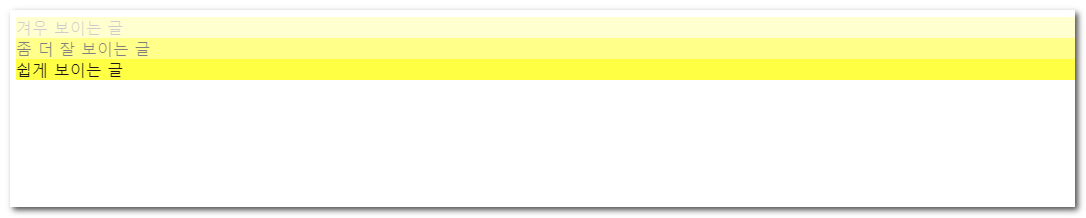
1<!DOCTYPE html>2<html lang="ko">3<head>4<meta charset="utf-8">5<title>opacity</title>6<style type = "text/css">7
8</style>9</head>10<body>11 <div class="light">겨우 보이는 글</div>12 <div class="medium">좀 더 잘 보이는 글</div>13 <div class="heavy">쉽게 보이는 글</div>14</body>15</html>1<!DOCTYPE html>2<html lang="ko">3 <head>4 <meta charset="UTF-8" />5 <meta http-equiv="X-UA-Compatible" content="IE=edge" />6 <meta name="viewport" content="width=device-width, initial-scale=1.0" />7 <title>Document</title>8 </head>9 <body>10 <!DOCTYPE html>11 <html lang="ko">12 <head>13 <meta charset="utf-8" />14 <title>opacity</title>15 <style type="text/css">16 body {17 background-image: url(img/bg_grid.gif);18 }19 div {20 background-color: yellow;21 }22 .light {23 opacity: 0.2;24 }25 .medium {26 background-color: rgba(255,255,0,0.2);27 }28 .heavy {29 opacity: 0.9;30 }31 </style>32 </head>33 <body>34 <div class="light">겨우 보이는 글</div>35 <div class="medium">좀 더 잘 보이는 글</div>36 <div class="heavy">쉽게 보이는 글</div>37 </body>38 </html>39 </body>40</html>02. background
정보
👁️🗨️ 🔗MDN 아래 속성의 축약
background-attachmentbackground-clipbackground-colorbackground-imagebackground-originbackground-positionbackground-repeatbackground-size
background-image:nonebackground-position:0% 0%background-size:auto autobackground-repeat:repeatbackground-origin:padding-boxbackground-clip:border-boxbackground-attachment:scrollbackground-color:transparent
① background-color, background-image
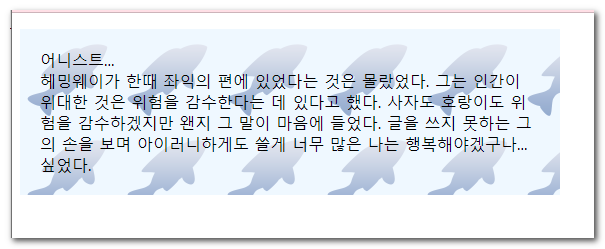
1<!DOCTYPE html>2<html lang="ko">3<head>4<meta charset="utf-8">5<title>배경이미지</title>6<style type="text/css">7
8</style>9</head>10<body>11 <p>12 어니스트... <br>13 헤밍웨이가 한때 좌익의 편에 있었다는 것은 몰랐었다. 그는 인간이 위대한 것은 위험을 감수한다는 데 있다고 했다. 사자도 호랑이도 위험을 감수하겠지만 왠지 그 말이 마음에 들었다. 글을 쓰지 못하는 그의 손을 보며 아이러니하게도 쓸게 너무 많은 나는 행복해야겠구나... 싶었다.14 </p>15</body>16</html>1<!DOCTYPE html>2<html lang="ko">3 <head>4 <meta charset="utf-8" />5 <title>배경이미지</title>6 <style type="text/css">7 p {8 width:500px;9 padding:20px;10 background-color: aliceblue;11 background-image: url('img/bgimg.png');12 }13 </style>14 </head>15 <body>16 <p>17 어니스트... <br />18 헤밍웨이가 한때 좌익의 편에 있었다는 것은 몰랐었다. 그는 인간이 위대한19 것은 위험을 감수한다는 데 있다고 했다. 사자도 호랑이도 위험을 감수하겠지만20 왠지 그 말이 마음에 들었다. 글을 쓰지 못하는 그의 손을 보며 아이러니하게도21 쓸게 너무 많은 나는 행복해야겠구나... 싶었다.22 </p>23 <p></p>24 </body>25</html>② background-repeat
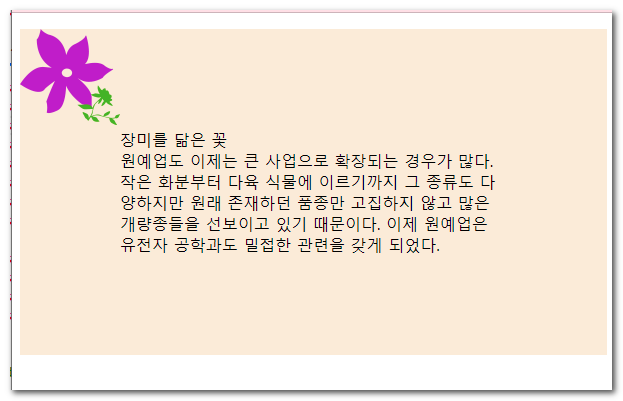
1<!DOCTYPE html>2<html lang="ko">3<head>4<meta charset="utf-8">5<title>배경이미지의 반복여부</title>6<style type="text/css">7
8</style>9</head>10<body>11 <p>12 장미를 닮은 꽃<br>13 원예업도 이제는 큰 사업으로 확장되는 경우가 많다. 작은 화분부터 다육 식물에 이르기까지 그 종류도 다양하지만 원래 존재하던 품종만 고집하지 않고 많은 개량종들을 선보이고 있기 때문이다. 이제 원예업은 유전자 공학과도 밀접한 관련을 갖게 되었다.14 </p>15</body>16</html>1<!DOCTYPE html>2<html lang="ko">3 <head>4 <meta charset="utf-8" />5 <title>배경이미지의 반복여부</title>6 <style type="text/css">7 p {8 padding:100px;9 background-color: antiquewhite;10 background-image: url(img/bg_flower.png);11 background-repeat: no-repeat;12 }13 </style>14 </head>15 <body>16 <p>17 장미를 닮은 꽃<br />김경아 원예업도 이제는 큰 사업으로 확장되는 경우가18 많다. 작은 화분부터 다육 식물에 이르기까지 그 종류도 다양하지만 원래19 존재하던 품종만 고집하지 않고 많은 개량종들을 선보이고 있기 때문이다. 이제20 원예업은 유전자 공학과도 밀접한 관련을 갖게 되었다.21 </p>22 </body>23</html>③ background-position
정보
💡 첫번째 숫자 → x
두번째 숫자 → y
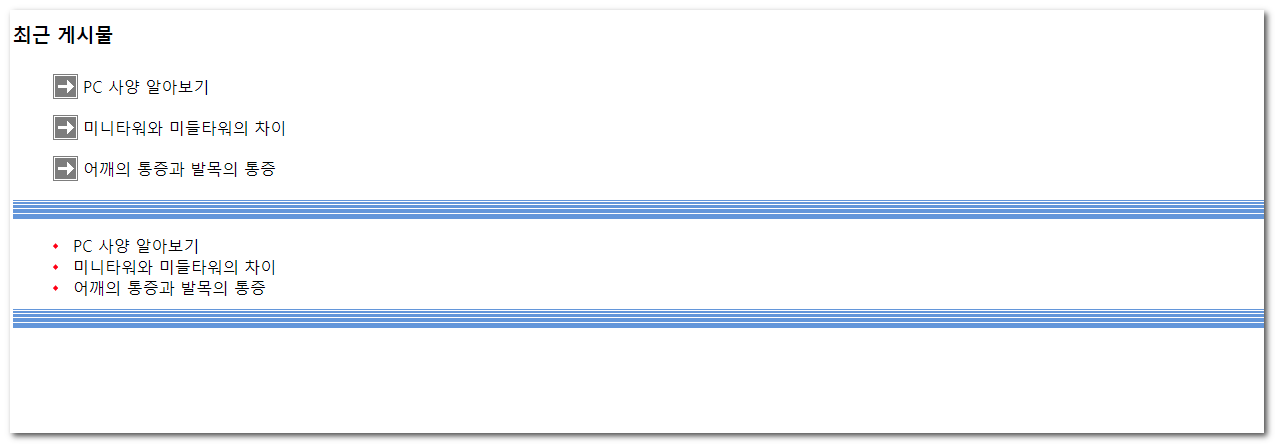
1<!DOCTYPE html>2<html lang="ko">3<head>4<meta charset="utf-8">5<title>배경이미지의 위치</title>6<style type="text/css">7
8</style>9</head>10<body>11 <h3>최근 게시물</h3>12 <ul>13 <li>PC 사양 알아보기</li>14 <li>미니타워와 미들타워의 차이</li>15 <li>어깨의 통증과 발목의 통증</li>16 </ul>17 <ul>18 <li>PC 사양 알아보기</li>19 <li>미니타워와 미들타워의 차이</li>20 <li>어깨의 통증과 발목의 통증</li>21 </ul>22</body>23</html>1<!DOCTYPE html>2<html lang="ko">3
4<head>5 <meta charset="UTF-8">6 <meta name="viewport" content="width=device-width, initial-scale=1.0">7 <title>Document</title>8 <style>9 body{10 background-image: url('./img/bg_linepttn.png'), url('./img/bg_ar.png');11 background-repeat: no-repeat;12 background-repeat: repeat-y;13 background-position: 0 100%, 100% 0%;14 }15 ul {16 list-style: none;17 }18
19 .pc1 li {20 background-image: url('./img/bg_ar.png');21 background-repeat: no-repeat;22 background-position-y: 50%;23 background-position-x: 0%;24 padding: 20px;25 text-indent: 20px;26 }27
28 .pc1,29 .pc2 {30 background-image: url('./img/bg_linepttn.png');31 background-repeat: repeat-x;32 background-position: 0 100%;33 }34
35 .pc2 li {36 background-image: url('./img/bg_bullet.png');37 background-repeat: no-repeat;38 background-position: 0 50%;39 background-position: left 50%;40 background-position: left center;41 background-position: right bottom;42 padding: 20px;43 text-indent: 20px;44 }45 </style>46</head>47
48<body>49 <h1>background-position</h1>50 <h3>최근 게시물</h3>51 <ul class="pc1">52 <li>PC 사양 알아보기</li>53 <li>미니타워와 미들타워의 차이</li>54 <li>어깨의 통증과 발목의 통증</li>55 </ul>56 <ul class="pc2">57 <li>PC 사양 알아보기</li>58 <li>미니타워와 미들타워의 차이</li>59 <li>어깨의 통증과 발목의 통증</li>60 </ul>61</body>62
63</html>④ background-attachment
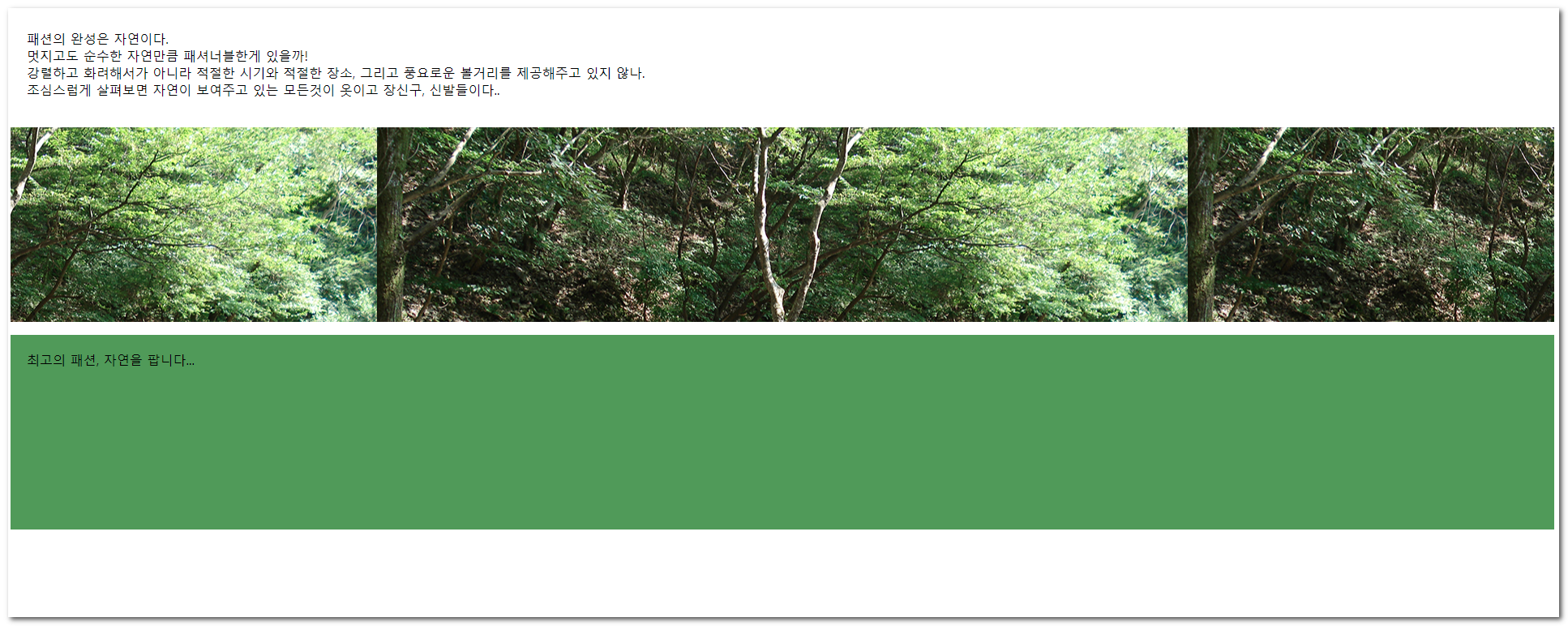
1<!DOCTYPE html>2<html lang="ko">3<head>4<meta charset="utf-8">5<title>배경이미지 고정</title>6<style type="text/css">7
8</style>9</head>10<body>11 <p>패션의 완성은 자연이다.<br>멋지고도 순수한 자연만큼 패셔너블한게 있을까! <br>강렬하고 화려해서가 아니라 적절한 시기와 적절한 장소, 그리고 풍요로운 볼거리를 제공해주고 있지 않나.<br>12 조심스럽게 살펴보면 자연이 보여주고 있는 모든것이 옷이고 장신구, 신발들이다..</p>13 <p class="bg_fixed"></p>14 <p class="btm">최고의 패션, 자연을 팝니다... </p>15</body>16</html>1<!DOCTYPE html>2<html lang="ko">3<head>4<meta charset="utf-8">5<title>배경이미지 고정</title>6<style type="text/css">7 p { padding: 20px; }8 .bg_fixed {9 min-height: 200px;10 background-image: url(img/bg_fixed.png);11 background-position: center;12 background-attachment:fixed;13 }14 .btm {15 min-height:200px;16 background: #595;17 }18</style>19</head>20<body>21 <p>패션의 완성은 자연이다.<br>멋지고도 순수한 자연만큼 패셔너블한게 있을까! <br>강렬하고 화려해서가 아니라 적절한 시기와 적절한 장소, 그리고 풍요로운 볼거리를 제공해주고 있지 않나.<br>22 조심스럽게 살펴보면 자연이 보여주고 있는 모든것이 옷이고 장신구, 신발들이다..</p>23 <p class="bg_fixed"></p>24 <p class="btm">최고의 패션, 자연을 팝니다... </p>25</body>26</html>⑤ background-size
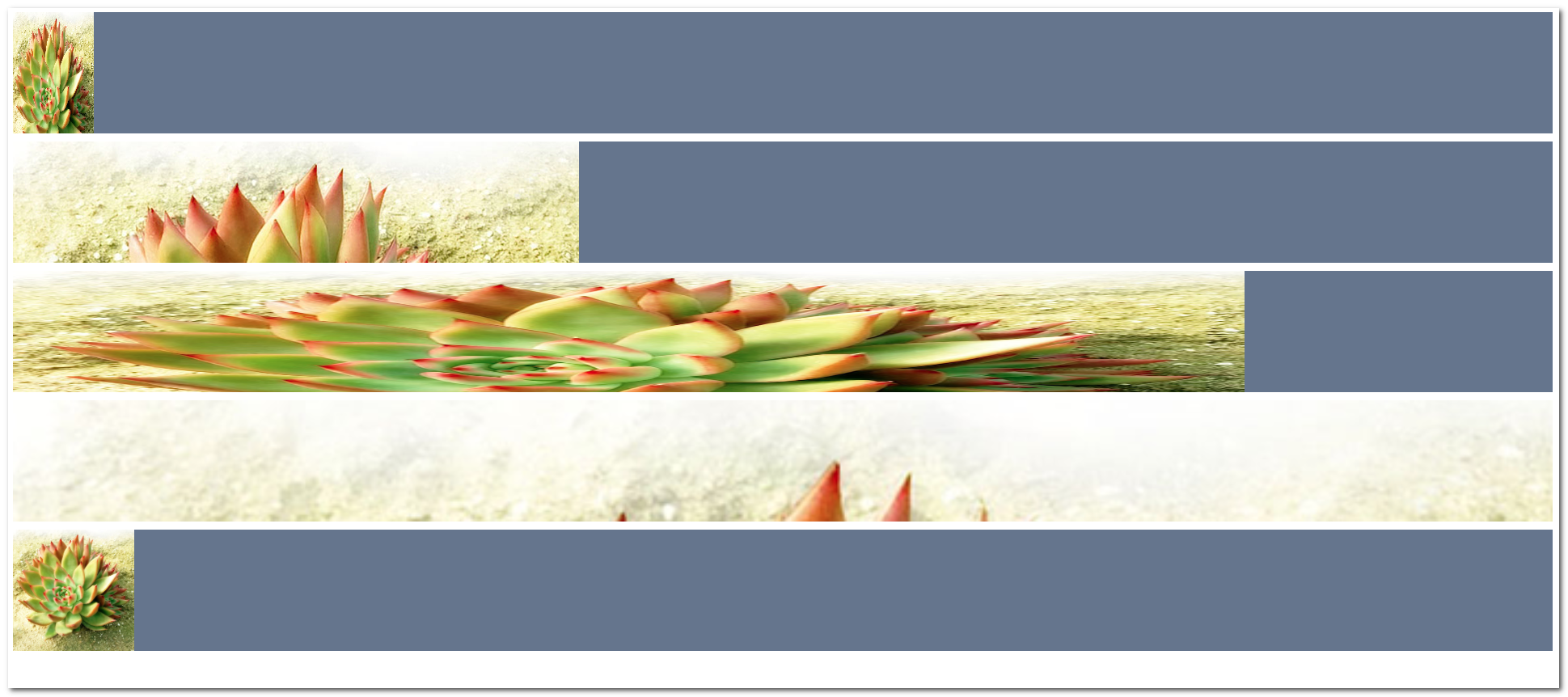
1<!DOCTYPE html>2<html lang="ko">3<head>4<meta charset="utf-8">5<title>배경이미지의 크기</title>6<style type="text/css">7
8</style>9</head>10<body>11 <div class="who who1"></div>12 <div class="who who2"></div>13 <div class="who who3"></div>14 <div class="who who4"></div>15 <div class="who who5"></div>16</body>17</html>1<!DOCTYPE html>2<html lang="ko">3 <head>4 <meta charset="utf-8" />5 <title>배경이미지의 크기</title>6 <style type="text/css">7 .who {8 height: 150px;9 margin-bottom: 10px;10 background: #67758e url("img/bg_size.png") no-repeat;11 }12 /* width height */13 .who1 {14 background-size: 100px 200px;15 background-position: center;16 }17 .who2 {18 /* 하나만 쓰면 width에 적용 height는 자동 */19 background-size: 50px;20 }21 .who3 {22 background-size: 80% 150%;23 }24 .who4 {25 /* cover 식탁커버 */26 background-size: cover;27 }28 .who5 {29 height:500px;30 /* 컨테이너 */31 background-size: contain;32 }33 </style>34 </head>35 <body>36 <div class="who who1"></div>37 <div class="who who2"></div>38 <div class="who who3"></div>39 <div class="who who4"></div>40 <div class="who who5"></div>41 </body>42</html>⑥ background-origin
정보
💡 이미지의 시작점을 정하는 속성
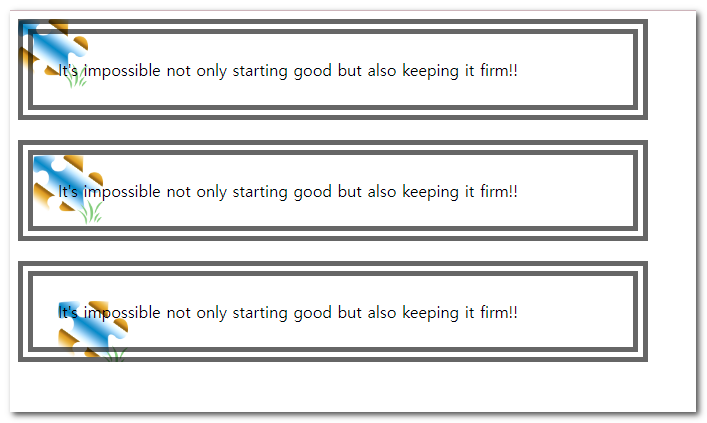
1<!DOCTYPE html>2<html lang="ko">3<head>4<meta charset="utf-8">5<title>배경이미지의 원점</title>6<style type="text/css">7
8</style>9</head>10<body>11 <div class="ori1">It's impossible not only starting good but also keeping it firm!!</div>12 <div class="ori2">It's impossible not only starting good but also keeping it firm!!</div>13 <div class="ori3">It's impossible not only starting good but also keeping it firm!!</div>14</body>15</html>1<!DOCTYPE html>2<html lang="ko">3 <head>4 <meta charset="utf-8" />5 <title>배경이미지의 원점</title>6 <style type="text/css">7 div{8 width:550px;9 padding:25px;10 margin-bottom: 20px;11 border:15px double rgba(0,0,0,.6);12 background: url('img/bg_origin.png') no-repeat ;13 background-size: 70px;14 }15 .ori1{background-origin: border-box;}16 .ori2{background-origin: padding-box;}17 .ori3{background-origin: content-box;}18 </style>19 </head>20 <body>21 <div class="ori1">22 It's impossible not only starting good but also keeping it firm!!23 </div>24 <div class="ori2">25 It's impossible not only starting good but also keeping it firm!!26 </div>27 <div class="ori3">28 It's impossible not only starting good but also keeping it firm!!29 </div>30 </body>31</html>⑥ background-clip
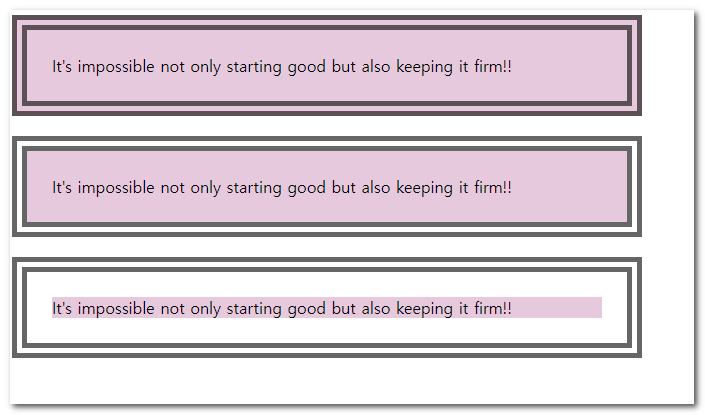
1<!DOCTYPE html>2<html lang="ko">3<head>4<meta charset="utf-8">5<title>배경이미지의 영역</title>6<style type="text/css">7
8</style>9</head>10<body>11 <div class="clip1">It's impossible not only starting good but also keeping it firm!!</div>12 <div class="clip2">It's impossible not only starting good but also keeping it firm!!</div>13 <div class="clip3">It's impossible not only starting good but also keeping it firm!!</div>14</body>15</html>1<!DOCTYPE html>2<html lang="ko">3<head>4<meta charset="utf-8">5<title>배경이미지의 영역</title>6<style type="text/css">7 div{8 width: 550px;9 border: brown 15px double;10 margin-bottom: 20px;11 padding:25px;12 background-color: aquamarine;13 }14 .clip1{background-clip: border-box;}15 .clip2{background-clip: padding-box;}16 .clip3{background-clip: content-box;}17</style>18</head>19<body>20 <div class="clip1">It's impossible not only starting good but also keeping it firm!!</div>21 <div class="clip2">It's impossible not only starting good but also keeping it firm!!</div>22 <div class="clip3">It's impossible not only starting good but also keeping it firm!!</div>23</body>24</html>03. sprite image
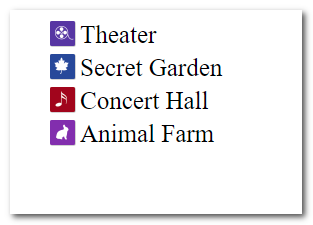
1<!DOCTYPE html>2<html lang="ko">3<head>4<meta charset="utf-8">5<title>IMAGE SPRITE</title>6<style type="text/css">7
8</style>9</head>10<body>11 <ul class="lnb">12 <li><a href="#">Theater</a></li>13 <li><a href="#">Secret Garden</a></li>14 <li><a href="#">Concert Hall</a></li>15 <li><a href="#">Animal Farm</a></li>16 </ul>17</body>18</html>1<!DOCTYPE html>2<html lang="ko">3 <head>4 <meta charset="utf-8" />5 <title>IMAGE SPRITE</title>6 <style type="text/css">7 li {8 list-style: none;9 margin:5px;10 }11 li a {12 text-decoration: none;13 font-family: "Times New Roman", Times, serif;14 color:#333;15 display: block;16 padding-left:30px;17 background: #999;18 background: url('img/bg_sprite.png') no-repeat;19 background-size: 26px;20 font-size: 25px;21 }22 .lnb li:nth-child(1) a{background-position: 0 0;}23 .lnb li:nth-child(2) a{background-position: 0 -50px;}24 .lnb li:nth-child(3) a{background-position: 0 -100px;}25 .lnb li:nth-child(4) a{background-position: 0 -150px;}26 </style>27 </head>28 <body>29 <ul class="lnb">30 <li><a href="#">Theater</a></li>31 <li><a href="#">Secret Garden</a></li>32 <li><a href="#">Concert Hall</a></li>33 <li><a href="#">Animal Farm</a></li>34 </ul>35 </body>36</html>04. gradient
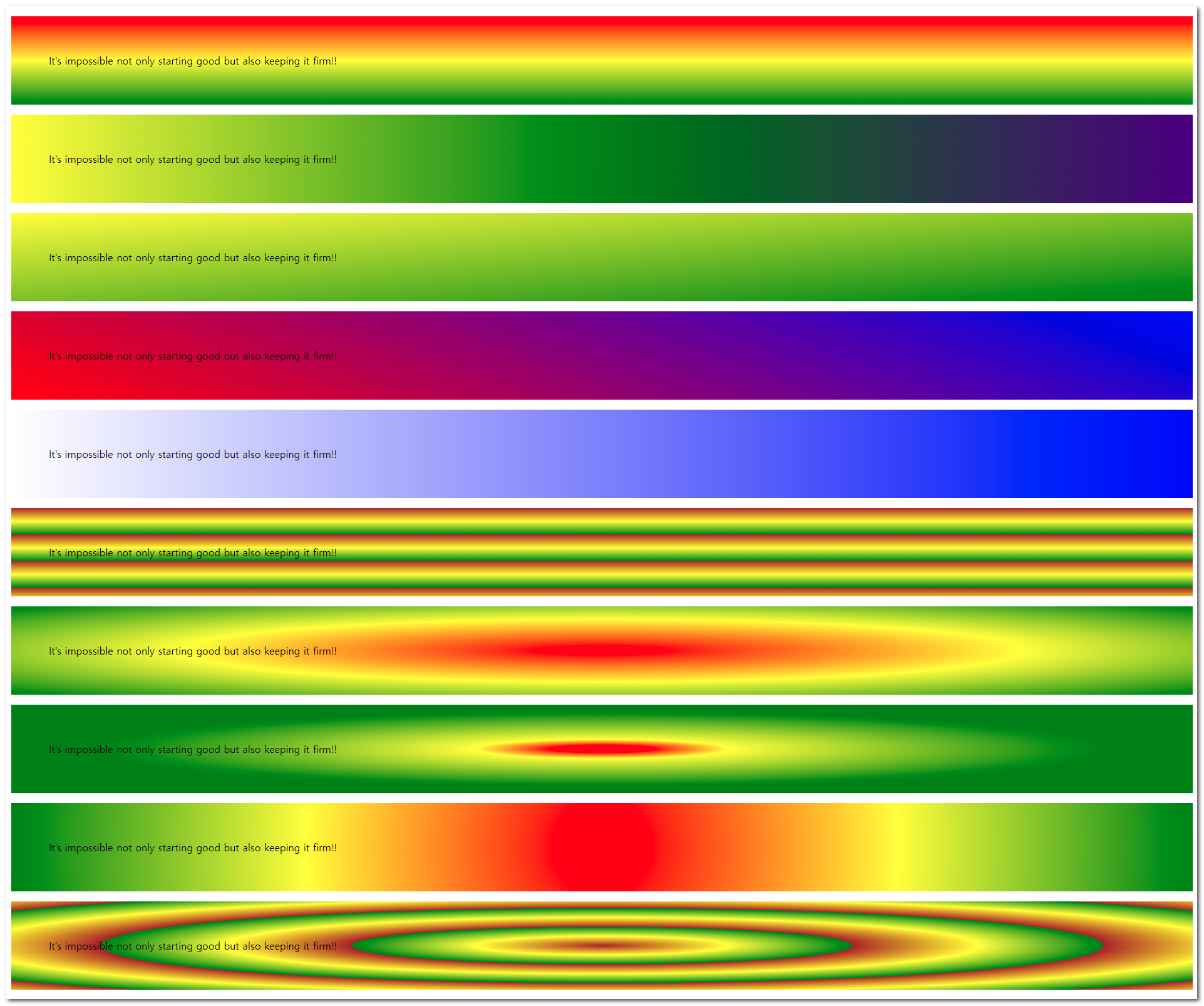
1<!DOCTYPE html>2<html lang="ko">3<head>4<meta charset="utf-8">5<title>gradient의 표현</title>6<style type="text/css">7
8
9</style>10</head>11<body>12 <p class="g1">It's impossible not only starting good but also keeping it firm!!</p>13 <p class="g2">It's impossible not only starting good but also keeping it firm!!</p>14 <p class="g3">It's impossible not only starting good but also keeping it firm!!</p>15 <p class="g4">It's impossible not only starting good but also keeping it firm!!</p>16 <p class="g5">It's impossible not only starting good but also keeping it firm!!</p>17 <p class="g6">It's impossible not only starting good but also keeping it firm!!</p>18 <p class="g7">It's impossible not only starting good but also keeping it firm!!</p>19 <p class="g8">It's impossible not only starting good but also keeping it firm!!</p>20 <p class="g9">It's impossible not only starting good but also keeping it firm!!</p>21 <p class="g10">It's impossible not only starting good but also keeping it firm!!</p>22</body>23</html>1<!DOCTYPE html>2<html lang="ko">3 <head>4 <meta charset="utf-8" />5 <title>gradient의 표현</title>6 <style type="text/css">7 p {8 padding: 60px;9 }10 .g1 {11 background: red;12 background: linear-gradient(red, yellow, green);13 }14 .g2 {15 background: linear-gradient(to right, red, yellow, purple, green);16 }17 .g3 {18 background: linear-gradient(to bottom right, red, yellow, green);19 }20 .g4 {21 background: linear-gradient(-200deg, red, yellow, green);22 }23 .g5 {24 background: linear-gradient(25 to right,26 rgba(0, 0, 255, 0),27 rgba(0, 0, 255, 0.8)28 );29 }30 .g6 {31 background: repeating-linear-gradient(brown, yellow 15%, green 30%);32 }33 .g7 {34 background: radial-gradient(red, yellow, green);35 }36 .g8 {37 background: radial-gradient(red 5%, yellow 15%, green 60%);38 background: radial-gradient(39 closest-side at 35% 35%,40 red 5%,41 yellow 15%,42 green 60%43 );44 }45 .g9 {46 background: radial-gradient(47 circle,48 red,49 rgba(0, 0, 255, 0),50 rgba(0, 0, 255, 0.8)51 );52 }53 .g10 {54 /* colorzilla generator */55 background: #e52d77;56 /* vendor prefix57 실험적인 기술을 브라우저에서 사용하기 위한 접두어58 -webkit- : 크롬, 사파리 , 엣지59 -o- : 오페라60 -moz- : 파이어폭스61 -ms- : 익스62 */63 background: -moz-linear-gradient(64 left,65 #e52d77 0%,66 #6b4711 30%,67 #28d330 51%,68 #e82559 61%,69 #c6976b 100%70 );71 background: -webkit-linear-gradient(72 left,73 #e52d77 0%,74 #6b4711 30%,75 #28d330 51%,76 #e82559 61%,77 #c6976b 100%78 );79 background: linear-gradient(80 to right,81 #e52d77 0%,82 #6b4711 30%,83 #28d330 51%,84 #e82559 61%,85 #c6976b 100%86 );87 filter: progid:DXImageTransform.Microsoft.gradient( startColorstr='#e52d77', endColorstr='#c6976b',GradientType=1 );88 }89 </style>90 </head>91 <body>92 <p class="g1">93 It's impossible not only starting good but also keeping it firm!!94 </p>95 <p class="g2">96 It's impossible not only starting good but also keeping it firm!!97 </p>98 <p class="g3">99 It's impossible not only starting good but also keeping it firm!!100 </p>101 <p class="g4">102 It's impossible not only starting good but also keeping it firm!!103 </p>104 <p class="g5">105 It's impossible not only starting good but also keeping it firm!!106 </p>107 <p class="g6">108 It's impossible not only starting good but also keeping it firm!!109 </p>110 <p class="g7">111 It's impossible not only starting good but also keeping it firm!!112 </p>113 <p class="g8">114 It's impossible not only starting good but also keeping it firm!!115 </p>116 <p class="g9">117 It's impossible not only starting good but also keeping it firm!!118 </p>119 <p class="g10">120 It's impossible not only starting good but also keeping it firm!!121 </p>122 </body>123</html>05. radial-gradient
- MDN
- closest-corner 끝 모앙이 그레디언트 중앙에서 가장 가까운 모서리로 흐려짐.
- closest-side 끝 모양이 그레디언트 중앙에서 가장 가까운 변으로 흐려짐.
- farthest-corner 기본값. 그레디언트 중앙에서 가장 먼 모서리로 흐려짐
- farthest-side 그레디언트 중앙에서 가장 먼 변으로 흐려짐
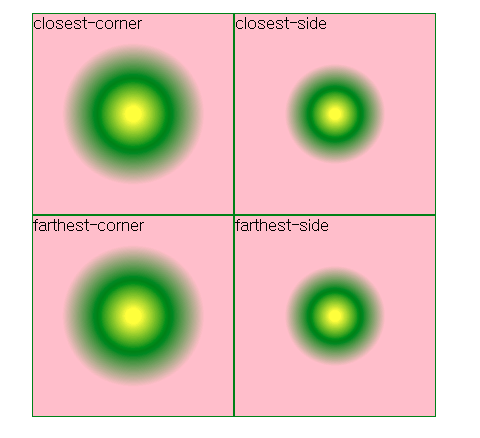
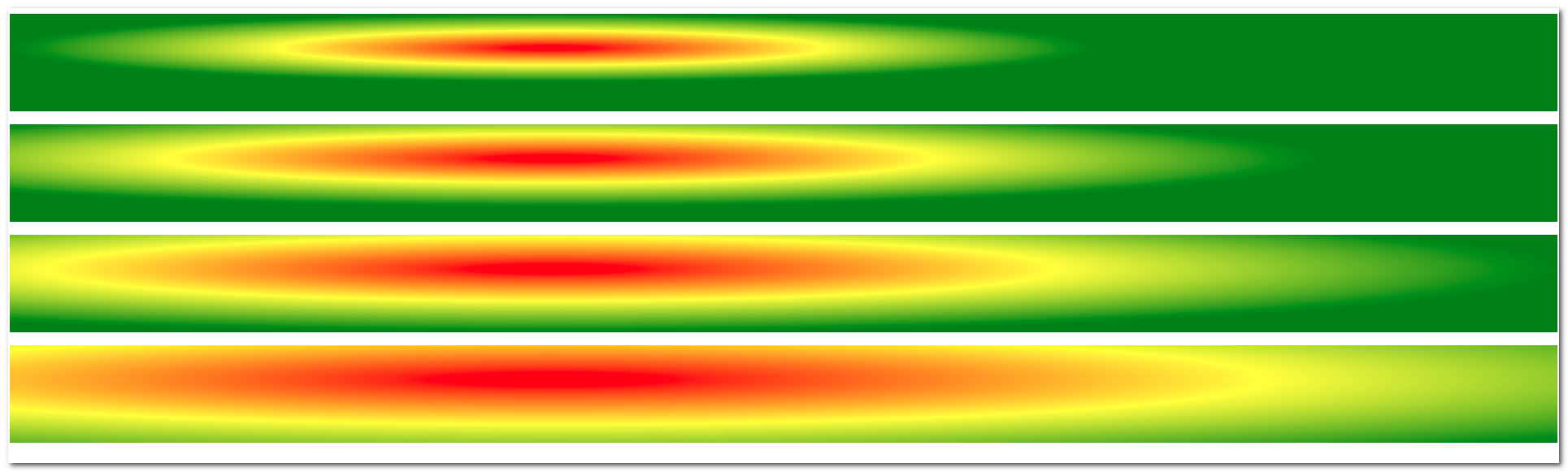
1<!DOCTYPE html>2<html lang="ko">3<head>4<meta charset="utf-8">5<title>중심점 변경</title>6<style type="text/css">7
8</style>9</head>10<body>11 <p class="rg1"></p>12 <p class="rg2"></p>13 <p class="rg3"></p>14 <p class="rg4"></p>15</body>16</html>1<!DOCTYPE html>2<html lang="ko">3<head>4<meta charset="utf-8">5<title>중심점 변경</title>6<style type="text/css">7 p { padding: 60px; background: red;}8 .rg1 { background: radial-gradient(closest-side at 35% 35%, red, yellow, green); }9 .rg2 { background: radial-gradient(closest-corner at 35% 35%, red, yellow, green); }10 .rg3 { background: radial-gradient(farthest-side at 35% 35%, red, yellow, green); }11 .rg4 { background: radial-gradient(farthest-corner at 35% 35%, red, yellow, green); }12</style>13</head>14<body>15 <p class="rg1"></p>16 <p class="rg2"></p>17 <p class="rg3"></p>18 <p class="rg4"></p>19</body>20</html>07. mutiple-background
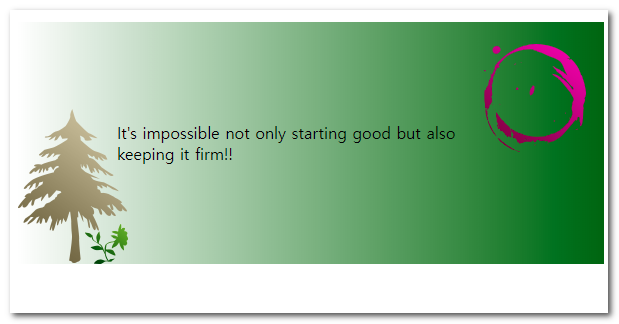
1<!DOCTYPE html>2<html lang="ko">3<head>4<meta charset="utf-8">5<title>다중 배경이미지</title>6<style type="text/css">7
8</style>9</head>10<body>11 <p>It's impossible not only starting good but also keeping it firm!!</p>12</body>13</html>1<!DOCTYPE html>2<html lang="ko">3 <head>4 <meta charset="utf-8" />5 <title>다중 배경이미지</title>6 <style type="text/css">7 p {8 padding: 100px;9 background-image: url(img/bg_tree.png), url(img/bg_sun.png),10 linear-gradient(to right, rgba(0, 100, 0, 0), rgba(0, 100, 0, 1));11 background-repeat: no-repeat, repeat-y;12 background-position: bottom left, 90% 15%;13 }14 </style>15 </head>16 <body>17 <p>It's impossible not only starting good but also keeping it firm!!</p>18 </body>19</html>08. 형성퀴즈
정보
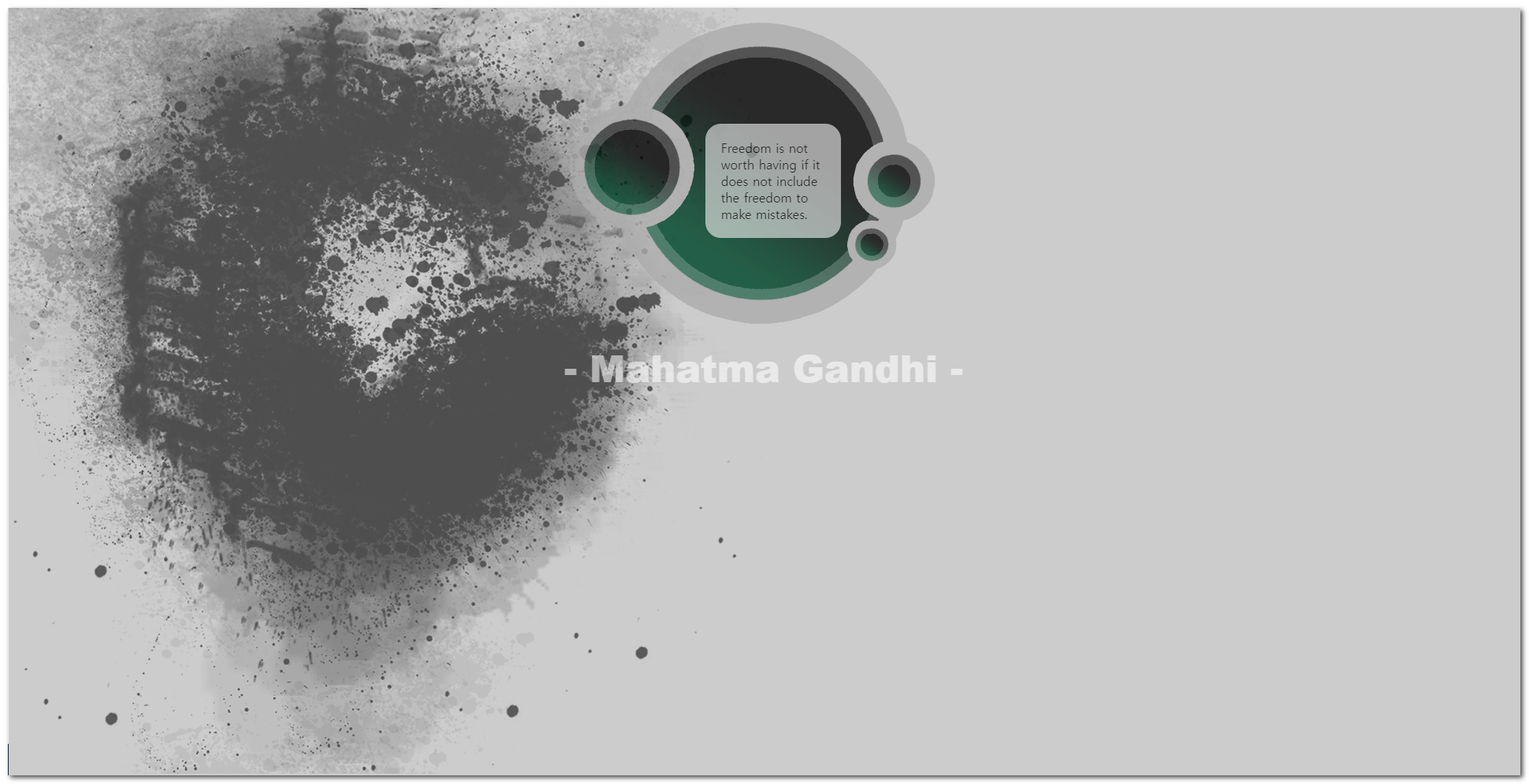
👁️🗨️ 아래의 리소스 파일을 활용하여 시안과 같은 html 문서를 제작하시오
- 주어진 html 문서를 활용하시오
- css파일만을 편집하여 완성하시오
리소스파일


quiz5.html
1<!DOCTYPE HTML>2<html>3  <head>4    <title>이미지, 색상, 글자 투명도 조정하기</title>5    <meta charset="UTF-8" />6    <style type="text/css">7      .textBox{8        border-radius:20px;9        }10    </style>11  </head>12
13  <body>14    <div>15      <p class="textBox">16          Freedom is not worth having17          if it does not include the freedom to make mistakes.18      </p>19      <p class="people">- Mahatma Gandhi - <p>20    </div>21  </body>22</html>